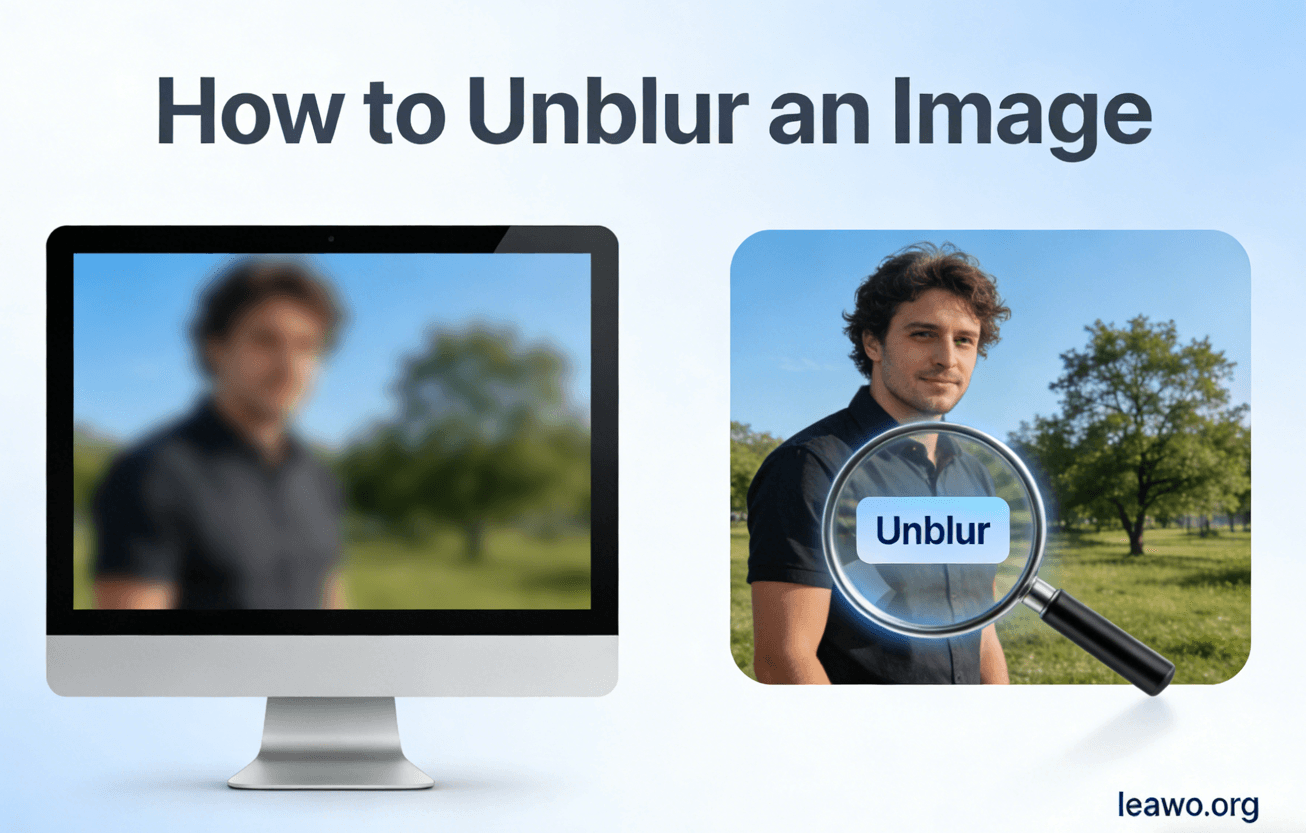
Blurry images are one of the most common—and most frustrating—photo problems. Whether it’s a once-in-a-lifetime moment captured too quickly, a low-quality image pulled from the web, or a photo taken in poor lighting, blur can ruin otherwise meaningful pictures. As a result, many people search for ways to unblur image files and restore lost clarity.
But here’s the truth: not all blur is the same, and not every blurry photo can be fixed. Understanding why an image is blurry is the key to knowing how to unblur an image, what methods actually work, and what approaches are simply wishful thinking.
In this article, you’ll learn:
- The different types of blur and how to identify them
- Whether a blurry image can realistically be fixed
- Manual techniques you can try yourself
- How AI tools like Leawo PhotoIns and Leawo Photo Enlarger help remove blur
- Situations where unblurring simply won’t work
By the end, you’ll know exactly how to remove blur from a photo—and when it’s better to move on.
1. Identify the Type of Blur First
Before attempting to fix anything, you must understand what kind of blur you’re dealing with. Different blur types require different solutions, and misidentifying the problem often leads to disappointing results.
1.1 Motion Blur
Motion blur occurs when the camera or subject moves during exposure. This is common in:
- Action shots
- Low-light photography
- Handheld photos with slow shutter speeds
Motion blur usually appears as streaking or directional smearing. While mild motion blur can sometimes be reduced, heavy motion blur is one of the hardest types to fix convincingly.
1.2 Focus Blur
Focus blur happens when the camera focuses on the wrong subject or fails to lock focus entirely. The blur looks soft and uniform rather than streaked.
This type of blur is more forgiving. Many tools designed to remove blur from photo files work best on focus blur, especially when details are still partially visible.
1.3 Low-Resolution Blur
Low-resolution blur isn’t caused by camera movement or focus—it happens when an image simply doesn’t have enough pixel data. This often occurs with:
- Old digital photos
- Images downloaded from social media
- Heavy cropping or resizing
This blur is more about missing detail than softness, and fixing it usually requires AI-based reconstruction rather than traditional sharpening.
2. Can a Blurry Image Really Be Fixed?
This is where expectations matter. When people ask how to unblur a photo, they often imagine magically restoring perfect detail. In reality, there’s a critical difference between sharpening and reconstruction.
Sharpening vs. Reconstruction
- Sharpening enhances contrast around edges that already exist. It makes images appear clearer but does not create new details.
- Reconstruction attempts to rebuild missing details using algorithms or AI trained on large image datasets.
Mild Blur vs. Severe Blur
- Mild blur: Often fixable to a satisfying degree
- Moderate blur: Can be improved but not made perfect
- Severe blur: Usually irreversible
If facial features, text characters, or fine edges are completely gone, no tool—manual or AI—can fully recover them.
3. Manual Image Unblurring Techniques
If the blur is light, manual editing techniques can help improve clarity. These methods work best when the image still contains visible detail.
3.1 Sharpening with Sliders
Most photo editors offer sharpening tools using sliders like:
- Amount
- Radius
- Detail
Increasing sharpening enhances edge contrast, which can help unblur image files slightly. However, too much sharpening introduces halos and unnatural textures.
Tip: Apply sharpening gradually and zoom in to 100% while adjusting.
3.2 Noise Reduction Balance
Sharpening often increases noise. To counteract this:
- Apply light noise reduction after sharpening
- Avoid aggressive settings that smear details
The key is balance. Over-processing can make a photo look worse than the original blur.
Manual techniques are useful, but they have limits—especially for motion blur or low-resolution images.
4. Automated & AI-Powered Image Unblurring
AI-powered tools have transformed how people approach how to remove blur from a photo. Instead of just enhancing edges, AI analyzes patterns and intelligently rebuilds missing detail.
Why AI Works Better
AI models are trained on millions of images, allowing them to:
- Recognize faces, text, and objects
- Predict what missing details should look like
- Restore clarity without excessive artifacts
This makes AI particularly effective for focus blur and low-resolution blur.
Recommended Tool: Leawo PhotoIns
Leawo PhotoIns is designed for automated image enhancement, including unblurring, sharpening, and detail restoration. It’s especially useful for users who want results without manual tweaking.
Key benefits:
- One-click AI enhancement
- Smart blur reduction
- Natural-looking results
Example Workflow Using Leawo PhotoIns
As a built-in module within Leawo PhotoIns focusing on intelligent enhancement, Leawo Photo Enlarger is an excellent example of AI reconstruction for blurry or small images.
Basic steps:
1.Open Leawo Photo Enlarger
2.Import the blurry image
3.Select an AI model suited for photos or portraits
4.Choose the desired output resolution
5.Let the AI process and reconstruct details
6.Preview and export the improved image
This approach works particularly well for low-resolution blur, where traditional sharpening completely fails.
Together, these tools offer powerful solutions to remove blur from photo files while maintaining realistic results.
5. When Unblurring Won’t Work
Despite advances in AI, some images simply cannot be saved. Knowing when unblurring won’t work can save time and frustration.
Extreme Motion Blur
If an image shows long streaks or multiple ghosted outlines, the original detail is gone. No tool can accurately reconstruct what never existed in the captured data.
Heavy Compression Damage
Images that have been overly compressed—often from repeated uploads or messaging apps—lose fine detail permanently. Compression artifacts confuse both manual tools and AI.
Missing Facial or Text Details
If:
- Eyes are completely merged into blur
- Text characters are unreadable
- Edges are entirely undefined
Then reconstruction becomes guesswork. The result may look “clearer” but inaccurate.
Ethical and Practical Considerations
Even when AI creates a visually pleasing result, it may not be accurate. For legal, journalistic, or identification purposes, reconstructed images should be used with caution.
6. Conclusion
Learning how to unblur an image starts with understanding the nature of blur itself. Motion blur, focus blur, and low-resolution blur each behave differently and require different approaches.
Manual techniques like sharpening and noise reduction can help with mild blur, but they have clear limitations. For more complex cases, AI-powered solutions such as Leawo PhotoIns offer a far more effective way to remove blur from a photo by reconstructing lost detail rather than merely enhancing edges.
Still, it’s important to accept that not every blurry image can be fully restored. Severe motion blur, heavy compression, and missing critical details remain beyond the reach of current technology.
The key takeaway is simple:
- Identify the blur
- Choose the right tool
- Set realistic expectations
When used correctly, modern tools can dramatically improve image clarity—but knowing what works and what doesn’t makes all the difference.